

Bambu Studio enables the use of different filaments within a single print job
RECODE.AM #29

I know this is the second week in a row that I’m sharing an article focused on Bambu Lab, but I felt that this particular feature is interesting and useful enough for many of you to deserve a dedicated piece.
Especially since the feature described here is not immediately obvious and you actually need to know where to look for it…
Recently, a new version of Bambu Studio (2.4.0) was released, bringing a set of new features that make the software an even more flexible tool for advanced users. The update delivers both support for a new 3D printer - the H2C - and functions that have a real impact on print quality, mechanical strength, and overall 3D printing costs.
A key element of the update is, of course, support for the Bambu Lab H2C, a multi-head 3D printer unveiled at the Formnext trade fair in Frankfurt am Main. Bambu Studio has been adapted to the specifics of this machine, including operation with multiple nozzles in the right extruder and a hybrid mode that combines standard and high-flow nozzles.

Bambu Lab H2C: where Multi-Material Vortek System meets engineering precision
The update also adds the ability to map a specific filament to a designated nozzle, along with a clear and detailed nozzle overview on the device page, which significantly simplifies configuration and control of the printing process.
Since I’ve been using the H2C for “some time now,” I can say that this solution is genuinely intuitive and extremely easy to use. When working with the left and right extruders (with the right one being interchangeable with additional units), changing colors on the print head is done via simple drag-and-drop.
However, the far more interesting addition is the “Use different filaments for different features (Developer Mode)” function, which opens up an entirely new approach to multi-material 3D printing.
PLEASE NOTE! I would like to emphasize again that this is a test feature available in the developer version!
It allows users to assign different filaments to specific parts of a single object - separately for walls, solid infill, and sparse infill. Although this option is only available in Developer Mode and works on a per-object basis, its potential is enormous.
Above all, this feature enables much more conscious and efficient cost management. When working with expensive technical or decorative filaments, there is no longer a need to print the entire model from a single costly material.
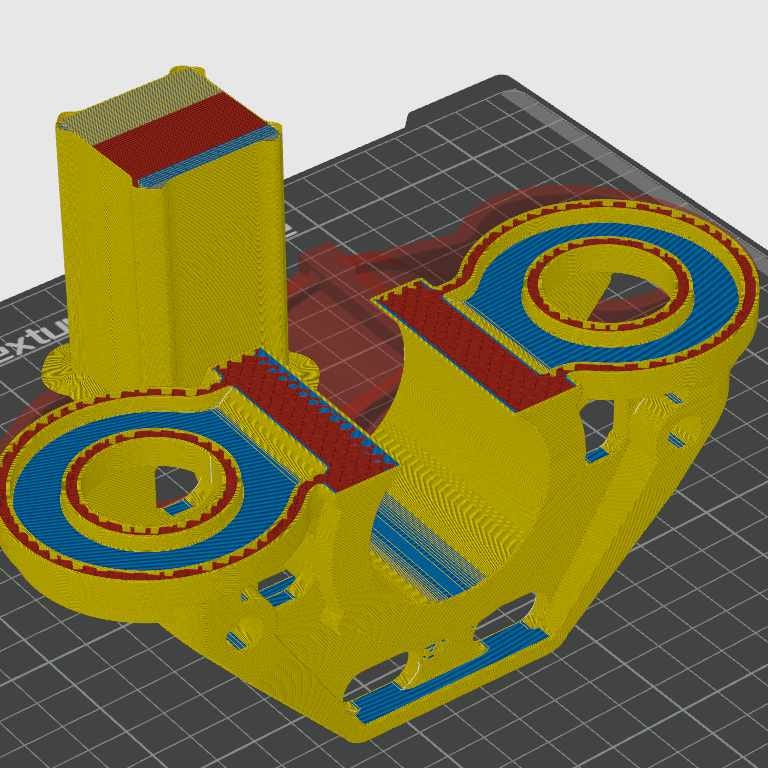
Instead, the user can apply an expensive filament only where it is truly needed - for example, on outer walls that require high mechanical or thermal resistance - while printing the interior with cheaper PLA, PETG, or another structural material.
This solution is also highly important for optimizing the mechanical properties of printed parts. Walls can be made from a rigid, wear-resistant material, while sparse infill can be produced using a lighter or more flexible filament, helping to better absorb vibrations or reduce the overall weight of the part.
In prototyping workflows, this makes it possible to quickly test different material combinations without modifying the model’s geometry.
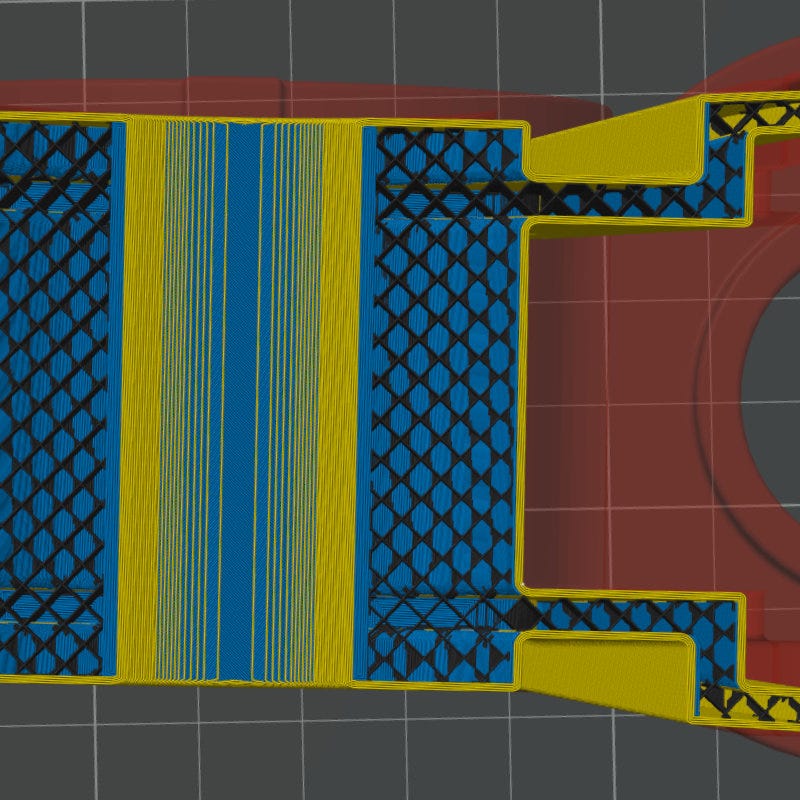
This feature fully demonstrates the potential of multi-extruder printers such as the H2D and H2C, and brings Bambu Lab Studio closer to solutions known from more advanced slicers, while still being tightly integrated into the Bambu ecosystem.
Beyond the headline feature, the update also introduces a number of smaller but very practical improvements. These include the ability to increase the number of sparse infill lines to improve part strength, tools for aligning and distributing objects along the X, Y, and Z axes, and an option to move an entire build plate with a single command.
An improved wall-to-infill interlocking feature has also been added, significantly enhancing model strength - especially important in functional prints.
All of this is rounded out by numerous stability fixes, user interface refinements, and performance optimizations, including an updated G-code preview.
As a result, Bambu Lab Studio 2.4.0 is an update that not only adds new features, but genuinely improves the comfort, efficiency, and cost-effectiveness of everyday 3D printing workflows.
Hey there!
Exciting news :)
I understand that this is a developer feature as you mentioned but I can't find any way to test it at all. My printer and slicer are in LAN-only / dev-mode but that doesn't help. I also could not find any dedicated "developer builds" on Github.
How did you get access to this feature?