

I tested SAM 3D – META’s new AI tool for generating 3D models
RECODE.AM #27


As I predicted a few months ago, the market for AI-based tools is growing at an accelerating pace. A year ago I showcased Backflip AI, but tools for generating meshes and 3D models are appearing more and more frequently.
The trend is clear: the automation of modeling and spatial reconstruction is becoming the next milestone in software for AM.
At the same time, let’s be honest - the results of these technologies, though spectacular from a marketing perspective, often fall far short of what professional users expect. It is still a “work in progress,” not a replacement for the precise work of an engineer or designer.
The latest to join the race is Meta (better known as Facebook).
SAM 3D
Meta has introduced SAM 3D, a two-module system that can generate 3D objects and human figures from ordinary 2D photos. The tool combines the capabilities of SAM 3D Objects (object and scene reconstruction) and SAM 3D Body (precise estimation of human body shape and pose).
SAM 3D Objects allows you to transform a single photo into a 3D model complete with texture, geometry, and spatial orientation. The user selects an element in the photograph - for example a chair, lamp, or mug - and the system generates its three-dimensional reconstruction.
The modeling pipeline is based on a multi-stage training process: pre-training on synthetic 3D datasets and post-training aimed at reducing the gap between synthetic scenes and natural images. Thanks to this, SAM 3D is able to handle not only objects photographed in ideal conditions, but also those that are partly occluded, small, or captured from unusual angles.
In parallel, SAM 3D Body enables the reconstruction of a full human figure, including posture, orientation, and proportions. The model uses the new MHR (Meta Momentum Human Rig) format, which separately defines the skeletal structure and the “soft” tissue of the body.
This results in a more realistic output while preserving editability. SAM 3D Body can analyze even difficult shots - featuring dynamic poses, partial occlusion, or multiple people within a single image.
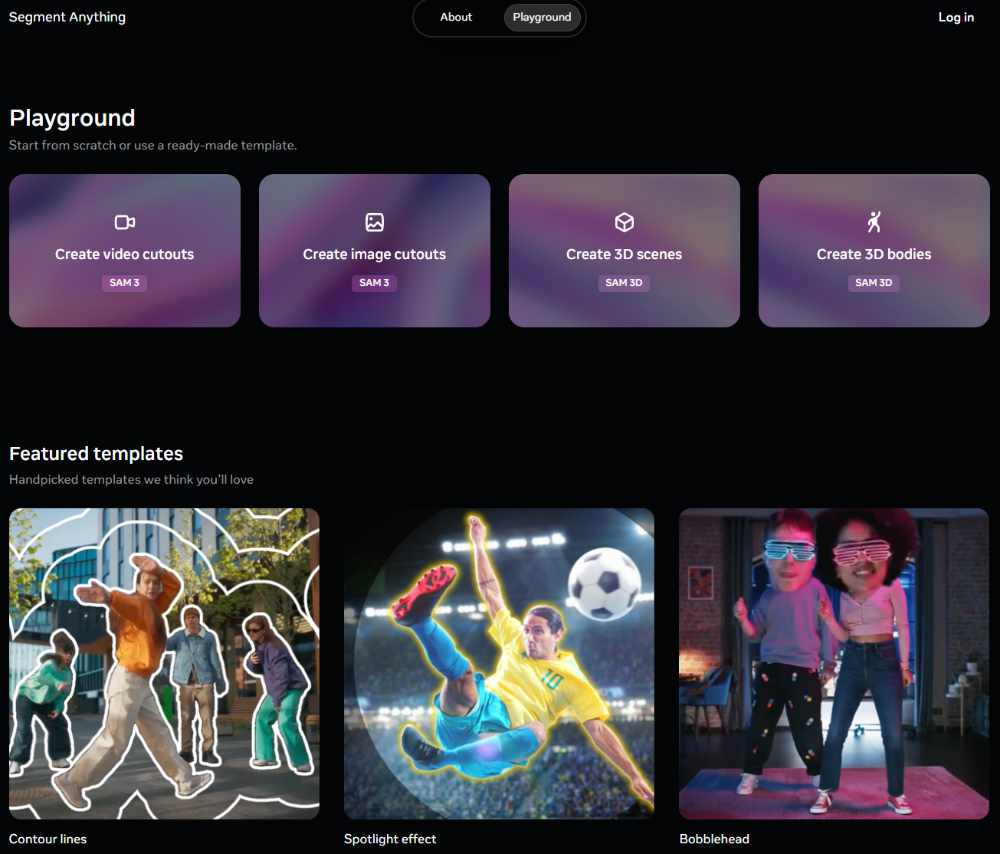
Both models are available in the Segment Anything Playground, a demo platform where users can experiment with their own images.
This is the strongest argument for the “wide accessibility” of Meta’s innovation, and at the same time a step toward integrating it into everyday applications - such as the “View in Room” feature on Marketplace.
Is SAM 3D suitable for 3D printing?
Although Meta presents SAM 3D as a foundation for creative applications - including game development, robotics, and AR/VR - from the perspective of 3D printing the tool has no real practical use at the moment.
Models generated by SAM 3D have too low a resolution and extremely simplified geometry. They are often distorted, lack physical coherence, and are not suitable for direct processing in slicers (no smooth surfaces, no watertight meshes).
Additionally, they cannot be downloaded as STL/OBJ files - Meta provides only the .PLY format (along with a preview or animation).
All of this means that while the technology is conceptually impressive, for AM applications it remains nothing more than a curiosity. What’s more, it doesn’t seem like this will change anytime soon, since META appears to be focusing primarily on game development and video.
And here is what my tests looked like…
The tests…
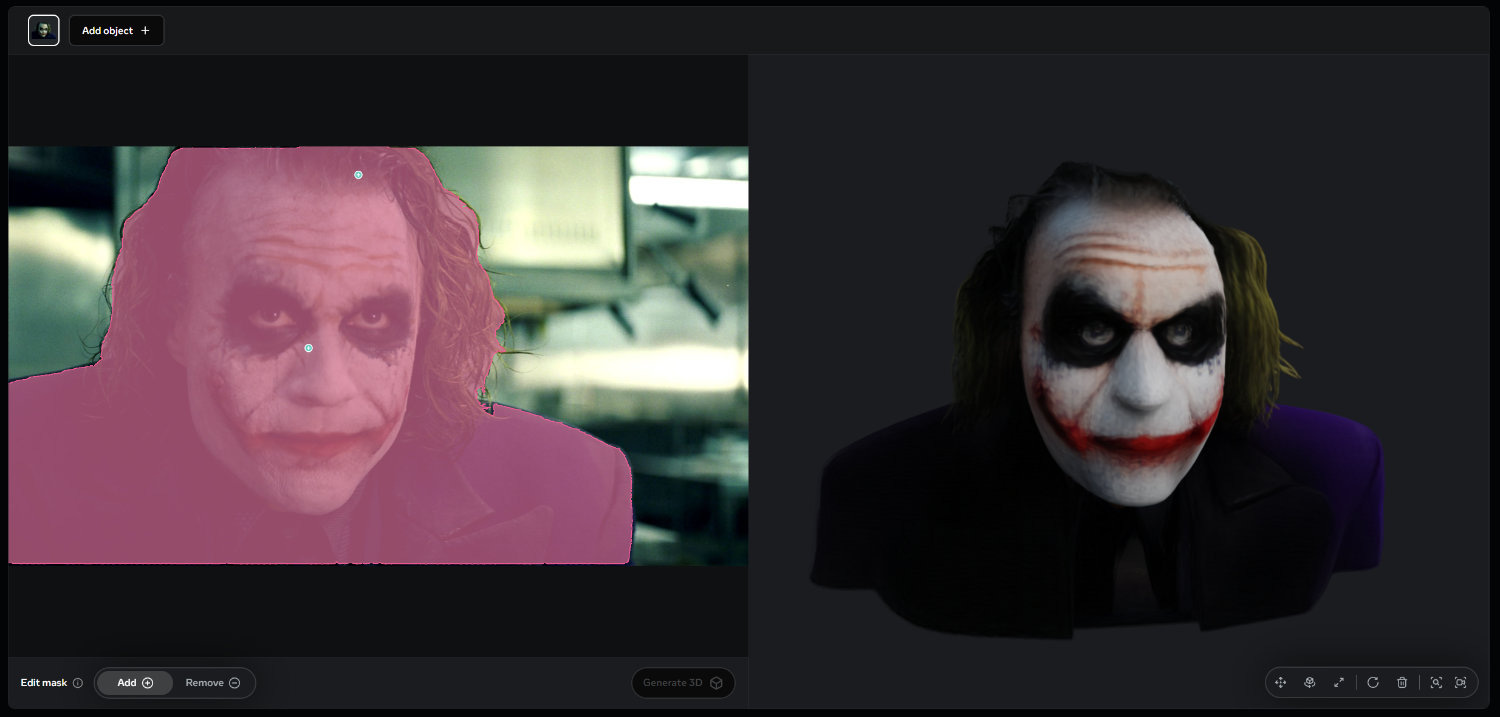
I started with the iconic photo of Heath Ledger’s Joker. I uploaded it and selected the area of focus. I simply clicked on the photo and the app automatically highlighted the region. Initially it only captured the face, but when I clicked on the hair it selected the entire silhouette. Then I clicked “Generate 3D.” The result… well… amusing, to say the least:
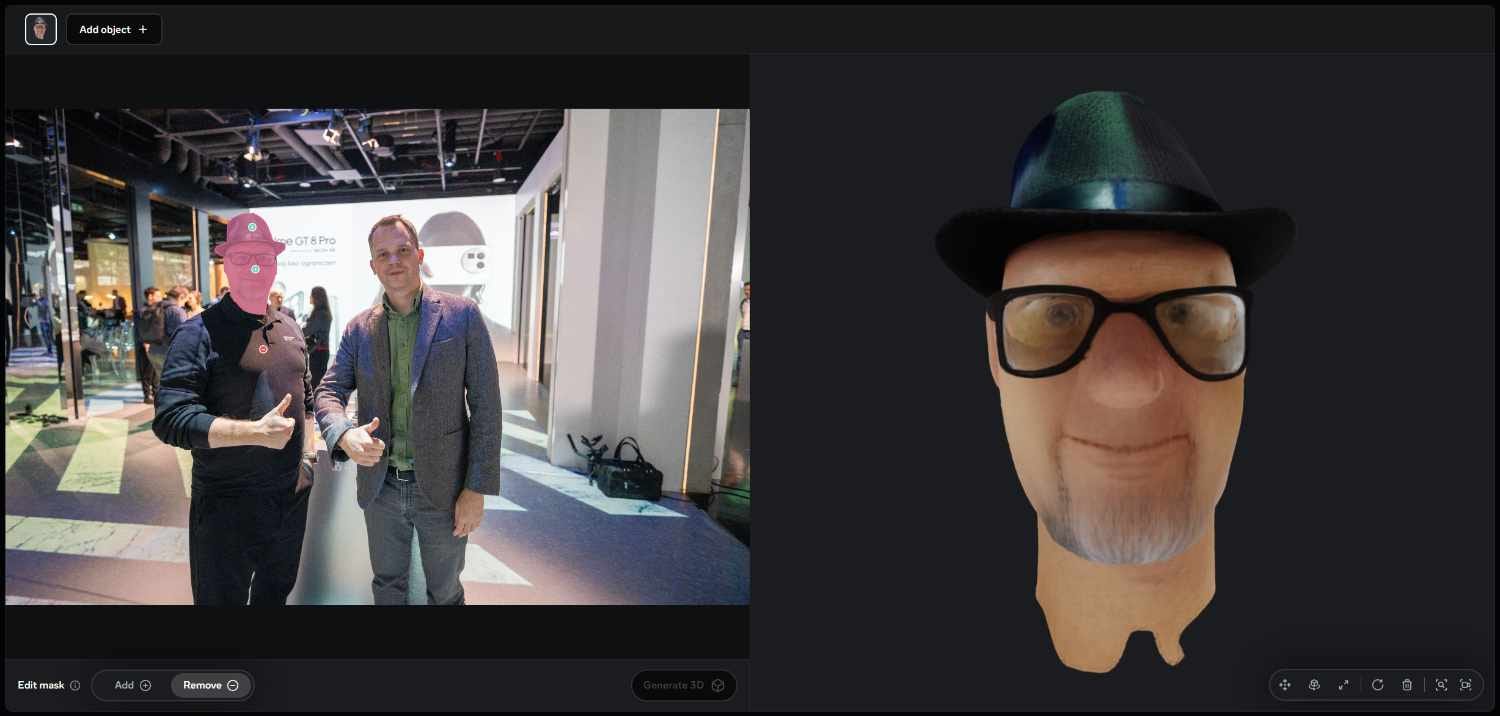
Next, I decided to try something more personal and used my own photo taken at a conference I recently attended. The procedure was the same - first I clicked on the face, then on additional elements (like the hat or… the glasses, which were strangely deselected by default). The outcome was… caricature-like:
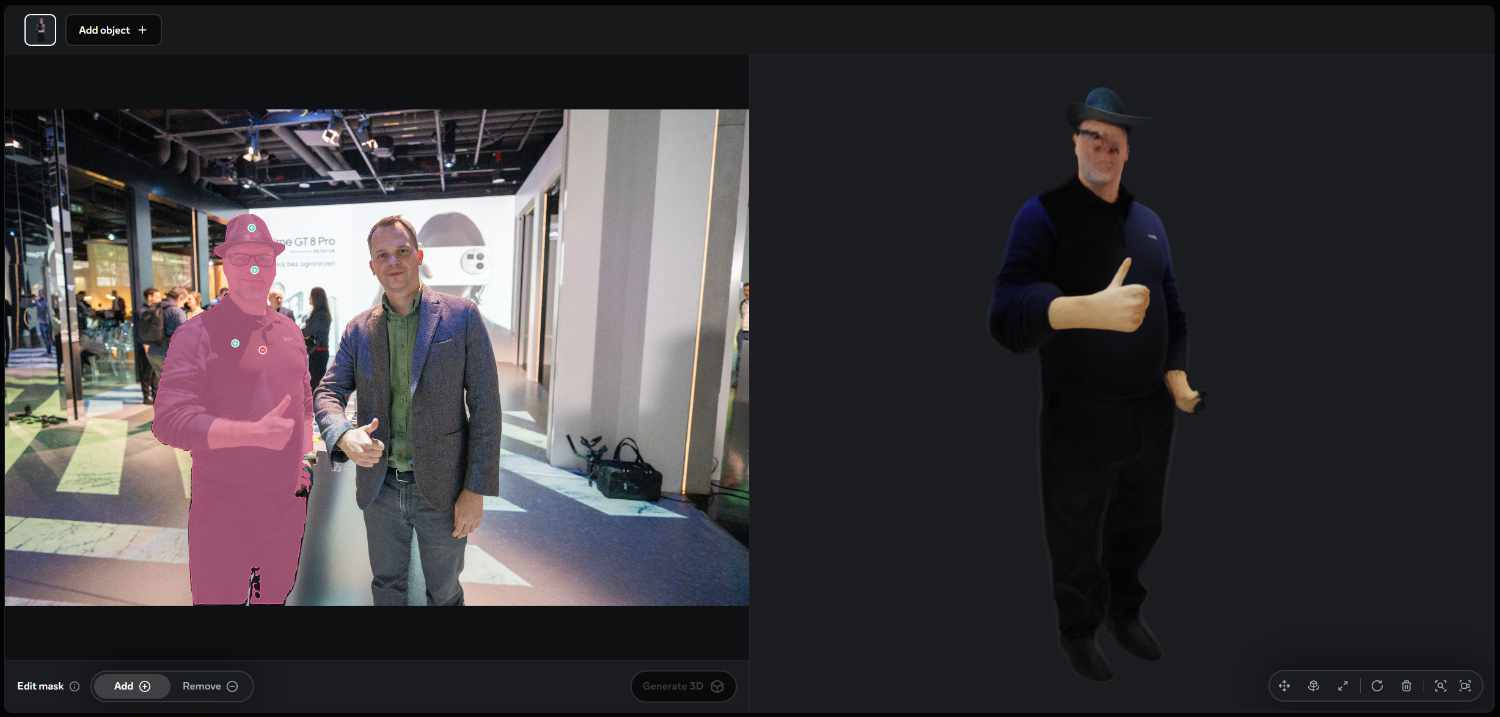
Things got worse when I selected the entire figure:
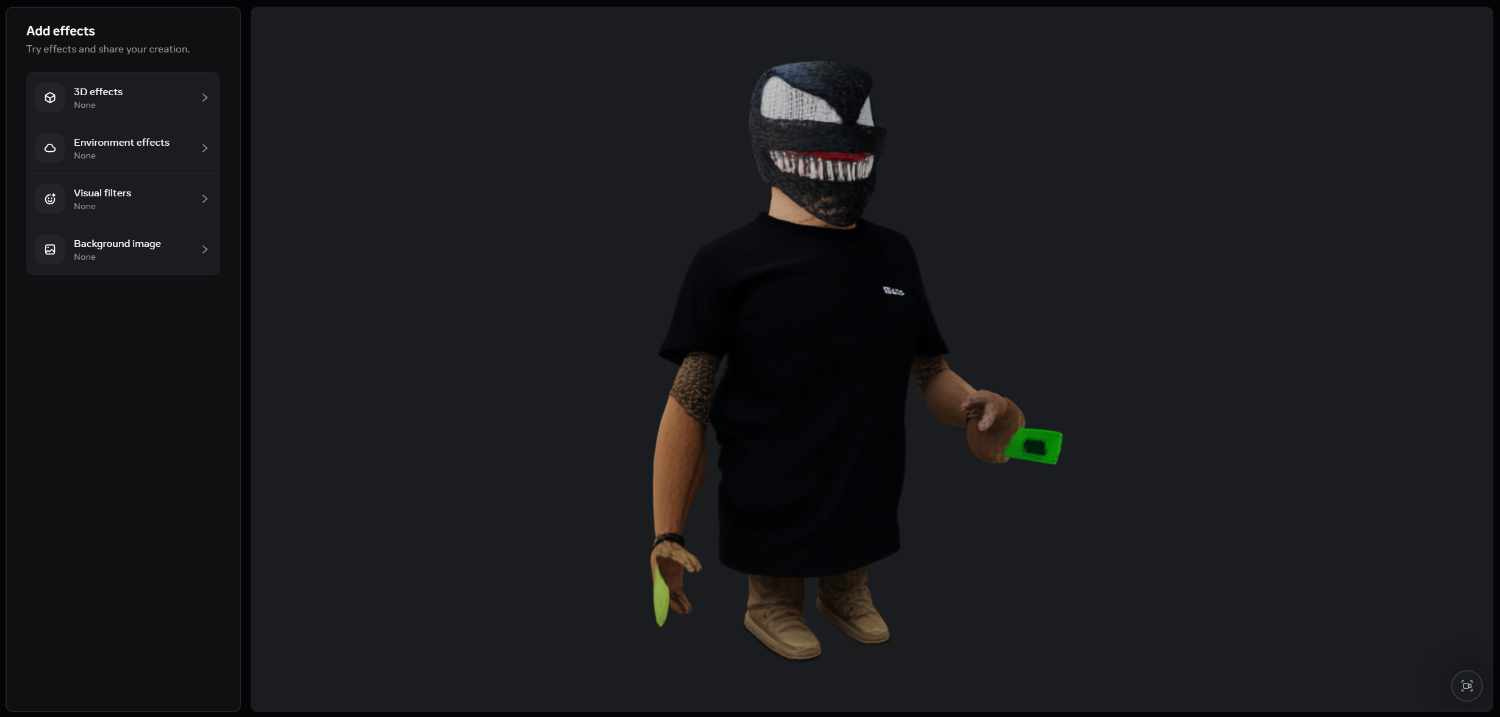
Finally, I tried a photo of a colleague wearing the Venom mask we showcased at Formnext. In the cropped version it didn’t come out too badly (aside from the hand):

but in the full version - well, this software still has a lot to learn:
So - it’s possible that for graphic designers this tool may turn out to be somewhat useful. For 3D printing users - definitely not at this stage.