

I tested PrintU from Bambu Lab - an AI tool for quickly creating 3D-printed bobbleheads from photos
RECODE.AM #28

Looking at the development of AI tools for generating 3D models, we can already see a clear segmentation of this space:
on one side are solutions built primarily for video, games, and augmented reality, which translate only marginally into real usability for 3D printing.
on the other side, we increasingly see attempts to “cut the problem short” and deliver something much simpler and more predictable for AM users - yet actually ready for production.
It is precisely in this gap, between eye-catching reconstruction and practical application, that tools created by companies deeply rooted in the 3D printing world are starting to appear. Their ambition is not to perfectly replicate reality, but to shorten the path from a photo to a physical object as much as possible, even at the expense of realism.
After last week’s “test” of Meta’s SAM 3D, today I’m presenting an alternative approach that is decidedly more “printer-centric.” Bambu Lab has approached AI-based model generation the way it usually does-from a consumer perspective.

Instead of attempting “research-first” reconstructions of entire scenes or human figures, Bambu Lab focuses on a fast, closed workflow that leads directly to a physical print.
MakerLab PrintU is a web-based tool designed for users who want to turn a regular photo into a printable figurine in just a few minutes. The entire process runs in a browser, with no additional software installation required.
You simply upload a photo in a common format, and the system analyzes it and prepares a stylized interpretation of the character.
The key difference compared to SAM 3D is that PrintU does not try to faithfully reproduce real-world geometry. Instead, it deliberately simplifies the problem by offering specific, predefined aesthetic styles: from bobbleheads and chibi to cartoon and emoji-like figures. This is not reconstruction, but interpretation - and that’s precisely why the result is much closer to what a typical 3D printer user expects.
After selecting a style, you can define the character’s pose. In addition to a neutral stance, there is a mode based on the original photo and a T-pose, which is still in beta. Importantly, before the 3D model is generated, the user receives a 2D preview. This is a simple but very practical checkpoint that lets you verify the face, clothing, and overall character without “burning” resources on generating the actual geometry.
Only after approving the 2D view does the system generate the final 3D model, which can then be further edited in an integrated editor. Available options include base plates, name tags, color changes, and minor pose adjustments. From an AM perspective, what matters is that the model can be prepared as single- or multi-color and then exported as a file suitable for physical production.
PrintU is not a entirely free tool - each full cycle from photo to finished model costs 10 MakerWorld credits.
But on MakerWorld, credits cannot be purchased with real money - they are “earned” through activity. Simply logging into the platform already allows you to earn credits, but to fully use PrintU’s functionality, you need to engage a bit more actively in the MakerWorld community.
So how does all of this work in practice, and do we actually get models better suited for 3D printing than those generated by SAM 3D? Here’s a short presentation of my tests.
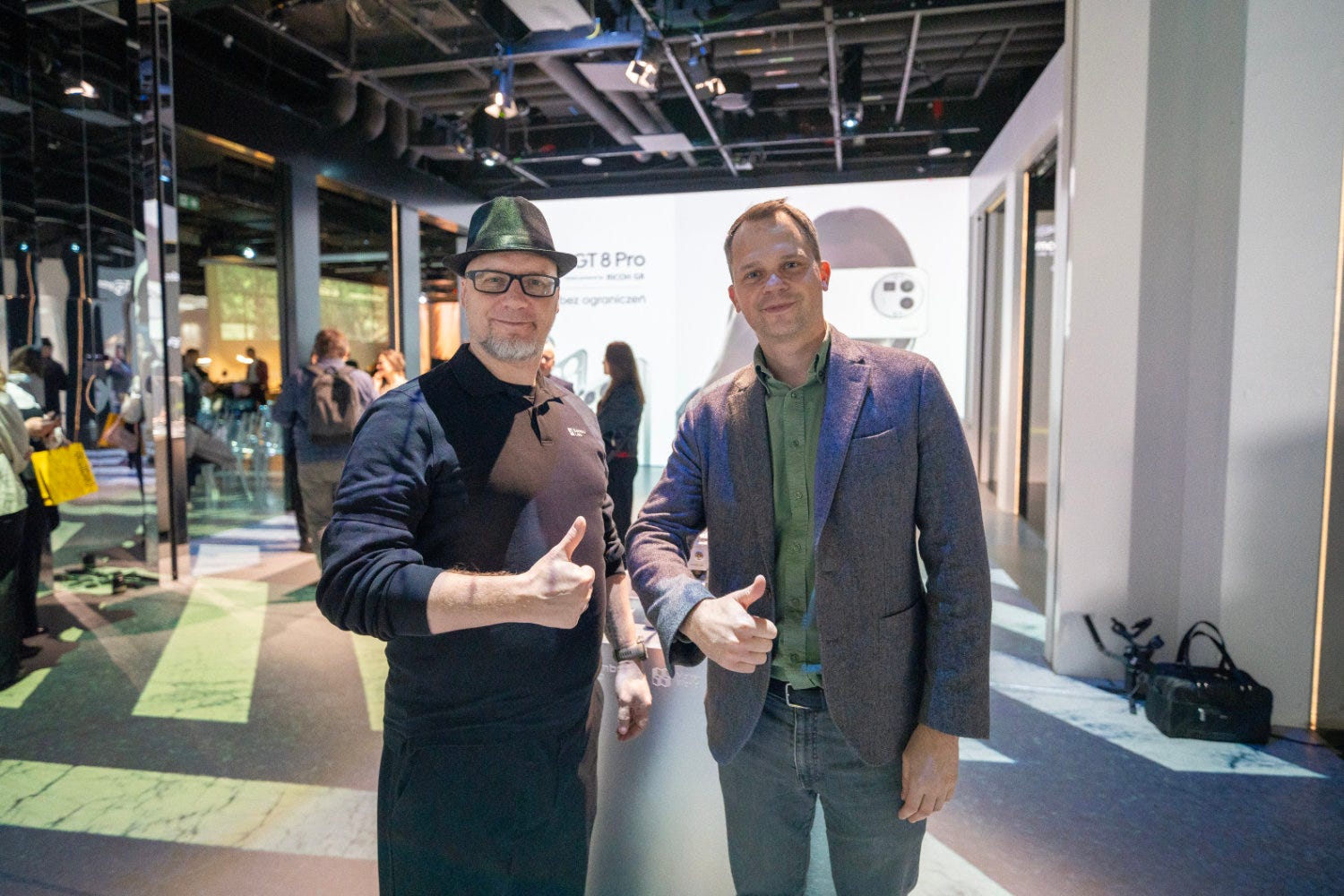
Just like with Meta’s tool, I used a photo from a realme and Bambu Lab conference, where I’m standing together with Bartosz Michalak, CEO of Edutech Expert, one of the largest 3D printer distributors in Central Europe.
Interestingly, after uploading the photo I didn’t select anything - I simply clicked the Generate 2D Image button. I don’t know why, but byy default, the application selected Bartosz and generated his model…?
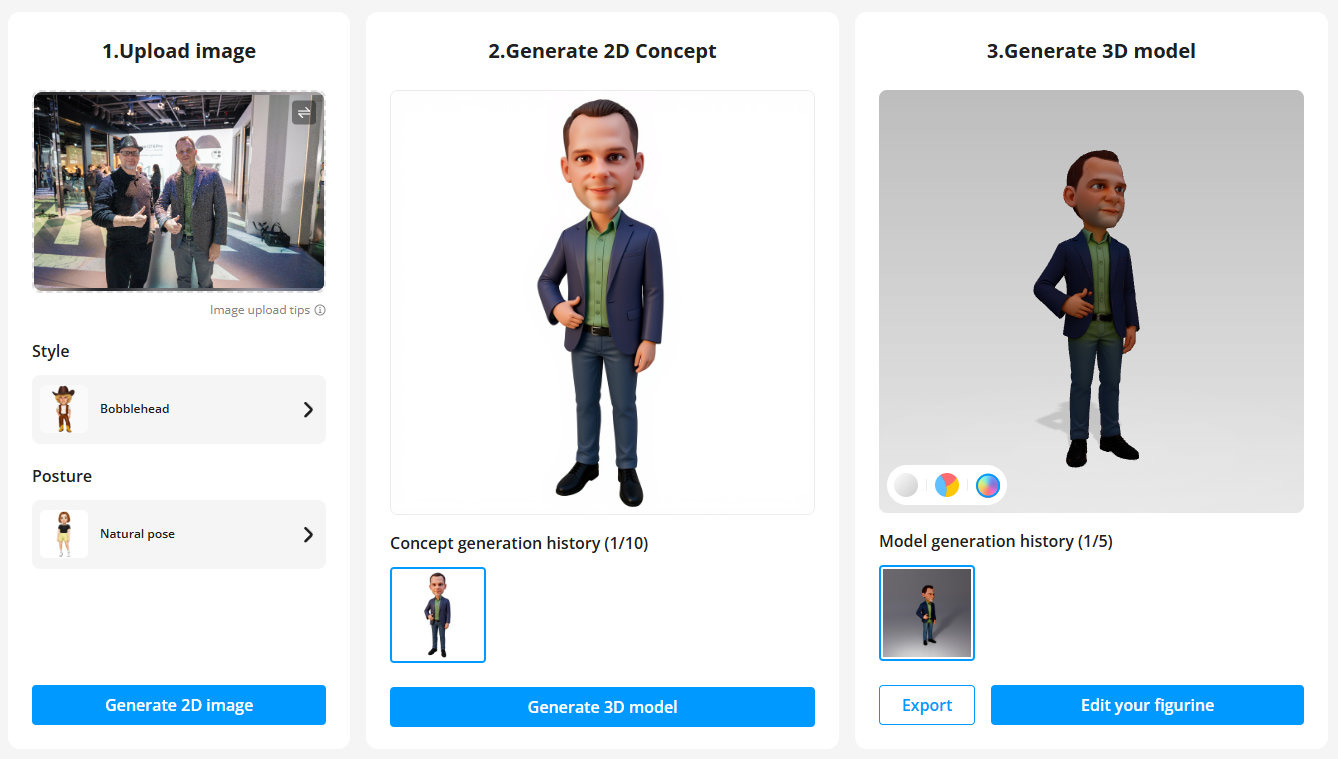
At this stage, we can only view a preview of the 3D model. To generate the final 3D model, credits must be used.


So I decided to be economical and spend my 10 credits on myself. I cropped the photo to remove Bartosz and uploaded it again.
For some reason, the AI decided to dress me in that stylish, Neo-like cassock. I actually started wondering whether I should buy one myself…?
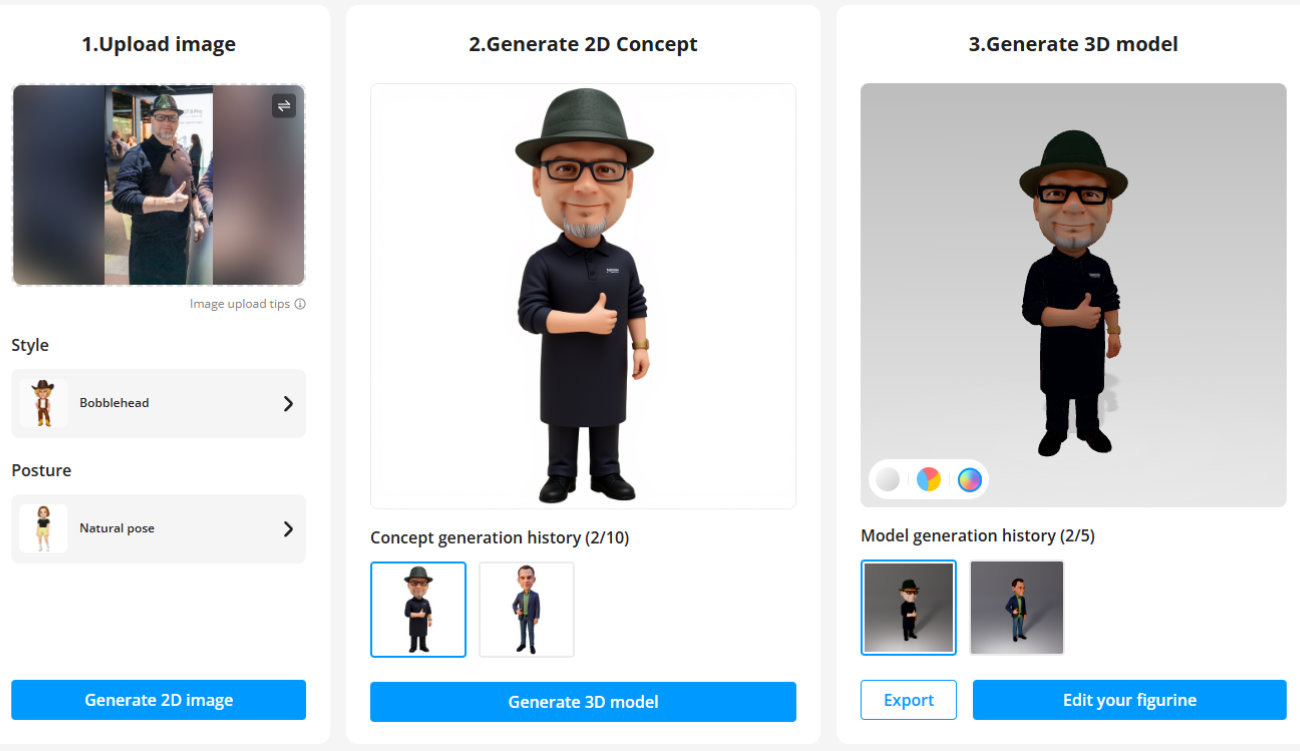
When generating the file, PrintU asks which 3D printer the 3MF file should be generated for (naturally, it asks about Bambu Lab 3D printers).
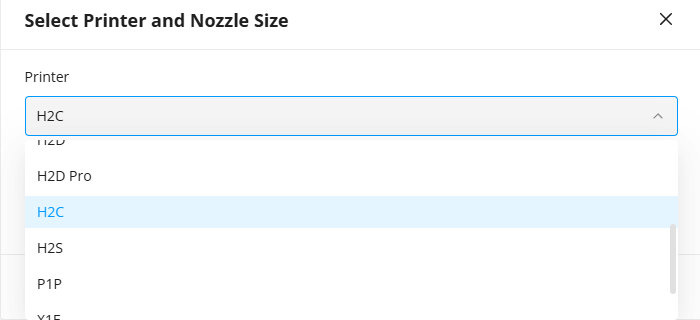
Model generation is quite fast. Here’s what the available export options look like:
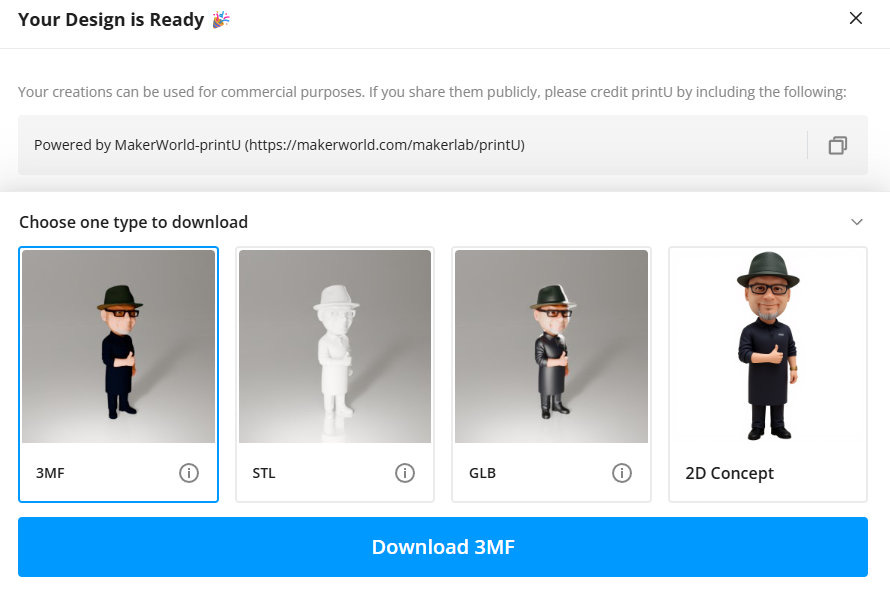
The model was generated in many colors (8) - definitely too many for 3D printing to make much sense:
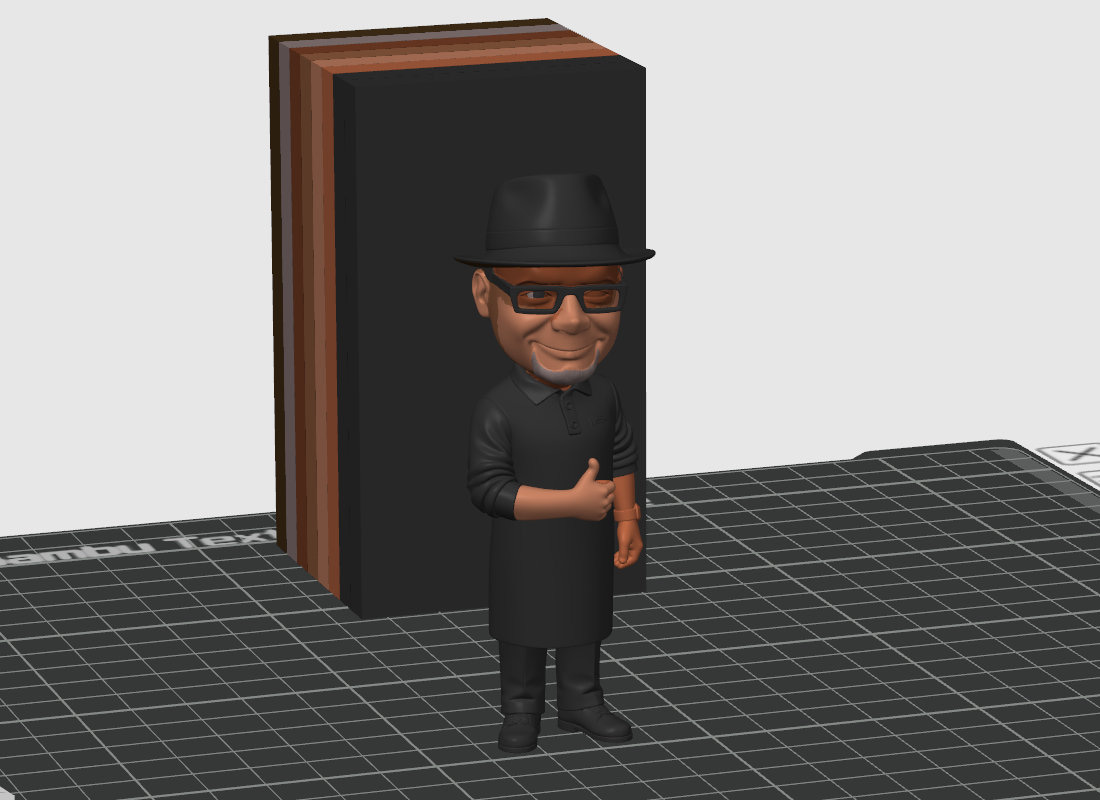
Additionally, the color mapping didn’t come out perfectly everywhere (or even well):
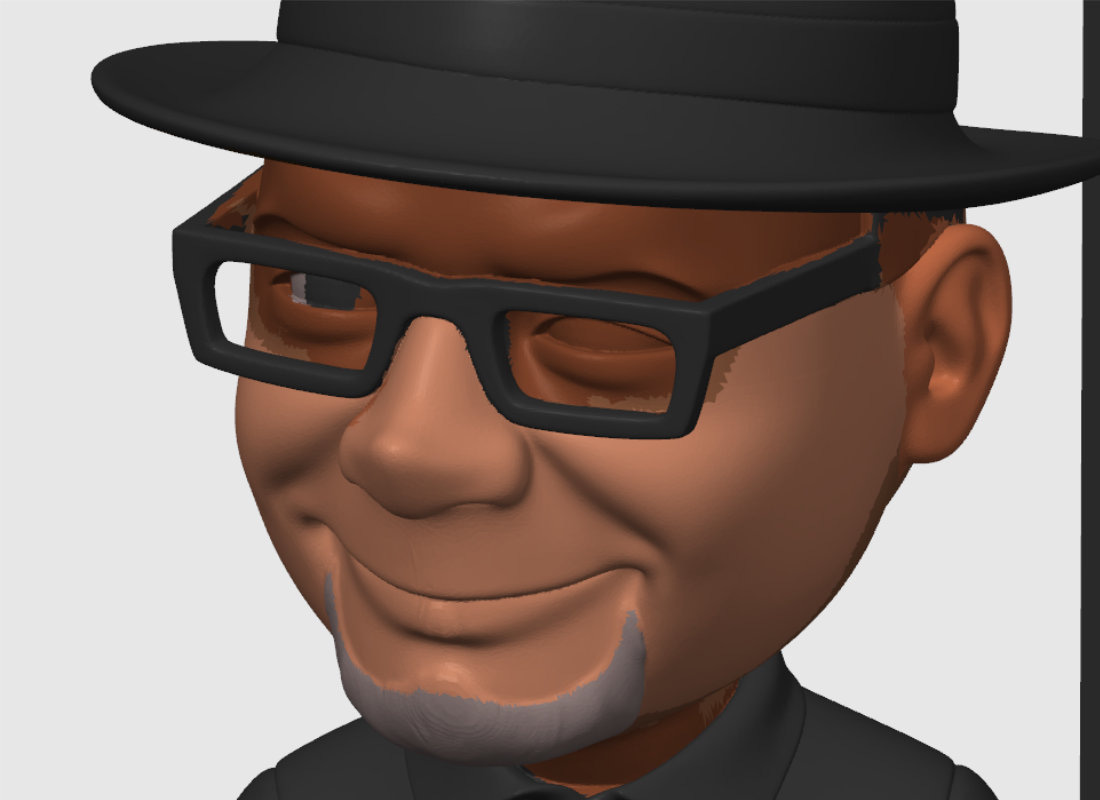
Using the painting tools in Bambu Studio, I managed to fix most surfaces more or less successfully, but I won’t hide the fact that achieving a really good effect would require spending more than just a few minutes on the model.


Printing a 10 cm tall figurine would take about 5 hours and 30 minutes on a Bambu Lab H2C.
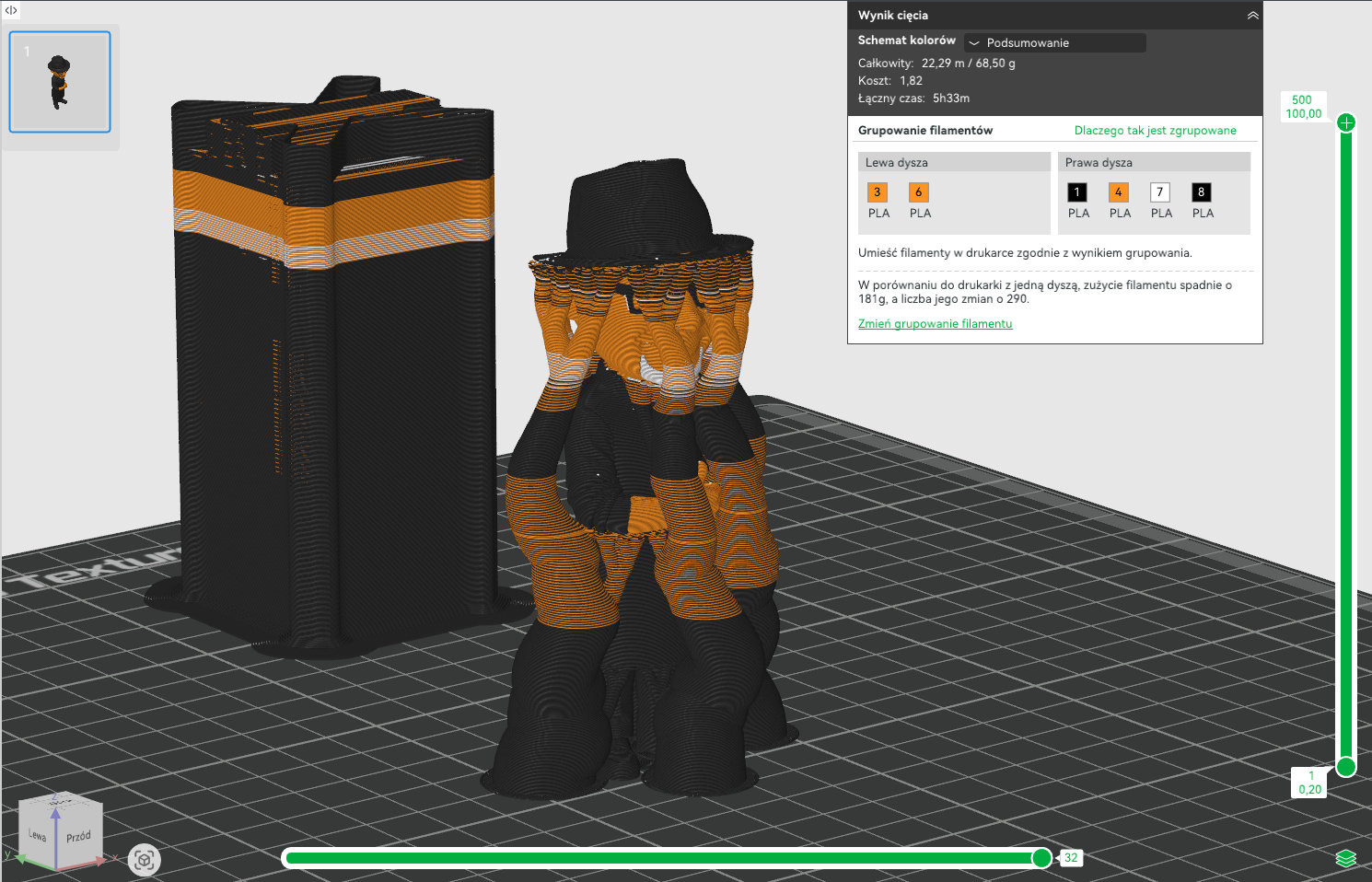
I haven’t tried printing it yet, but once I do, I’ll definitely share the results.
I wonder how it will turn out if printed on the Mimaki 3DUJ !
I’ve used the “Image to 3d Model” and “Make My Statue” apps in Makerlab to create 1) a Druid figurine, complete with staff and antlers, at the request of my daughter and from an AI 2d image generated by her, and 2) a model of the house my 92-year-old dad grew up in, modeled from a drawing of the house he made 20 years ago. Both were made to 3d print and both came out great in many ways but required a great deal of additional work in multiple sculpt g/CAD/slicing/mesh-repair programs. I’m very new to 3d printing so this was a huge learning experience for me. For sure, I don’t have the skill to create these models without AI help, but I developed new skills learning to fix them. Both feel like collaborative projects with my daughter and dad that were kind of magical. I’d love to share them online but am wary of being criticized for producing “slop” just because I didn’t model them completely freehand. This seems to be a muddy area where I hope more clarity emerges soon, especially about amateur use of AI.