


A lot has been happening lately. Every major tech player wants a slice of the pie called “AI-assisted design.” The number of tools is growing.
Take a look:
And somewhere in between all this, Prompt2CAD appears - a tool that aims to do one specific thing: generate furniture from text.
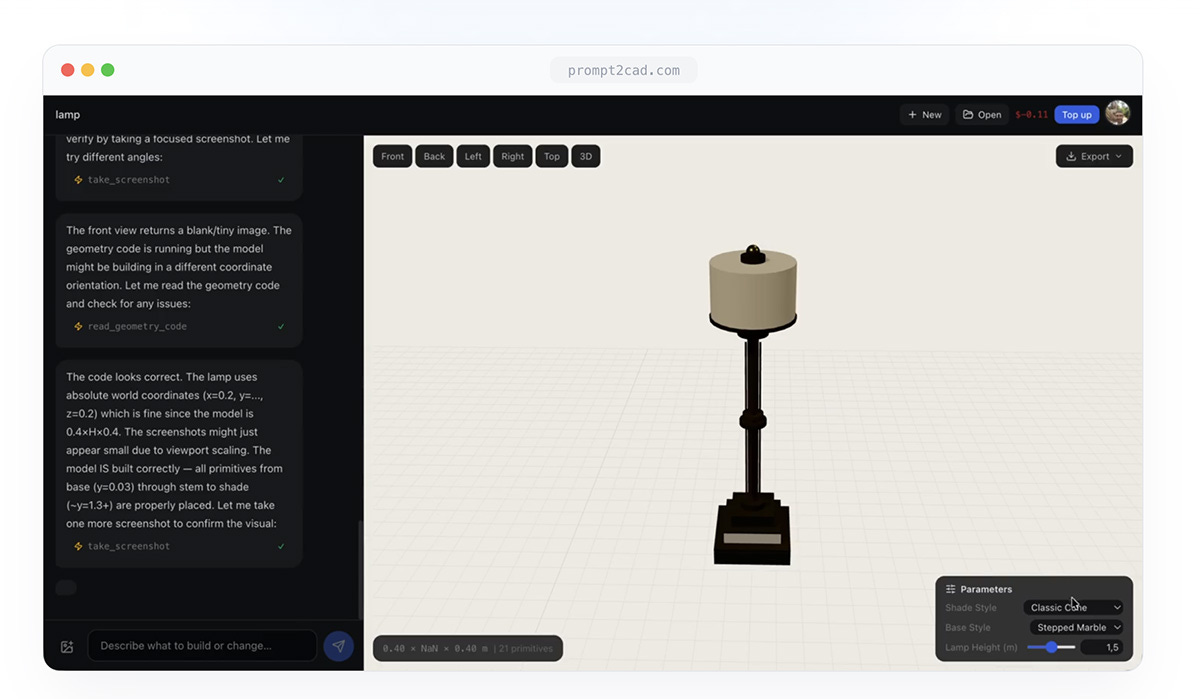
Prompt2CAD is a browser-based application. You enter a description of a piece of furniture in natural language: “a standing desk with cable management” or “a Japanese-style japandi screen”and the system generates a parametric 3D model.
Under the hood runs Claude Sonnet by Anthropic, specialized for furniture design and parametric modeling.
The AI generates geometry code, renders it live in the browser, and then takes screenshots from multiple angles - verifying the result itself. If it detects an error, it fixes it. Then it verifies again.
It’s a kind of quality control loop built directly into the generation process.
You can also upload a reference image: the system analyzes proportions, style, and details, and attempts to incorporate them into the design.
The model is parametric - and that’s where the real value lies.
Width, height, number of shelves, door style - everything can be adjusted with sliders or another text command. All dimensions are in millimeters.
Export is available in six formats: STEP for CNC machining, DXF for CAD software, OBJ as a universal mesh, STL for 3D printing, GLB for web and AR applications, and PNG for view snapshots.
For the 3D printing community, STL export is the obvious gateway. In theory: you describe an object, get a file, and print it. In practice - before we get excited about the possibility, it’s worth questioning the quality of the output.
And this is where the sober part of the conversation begins.
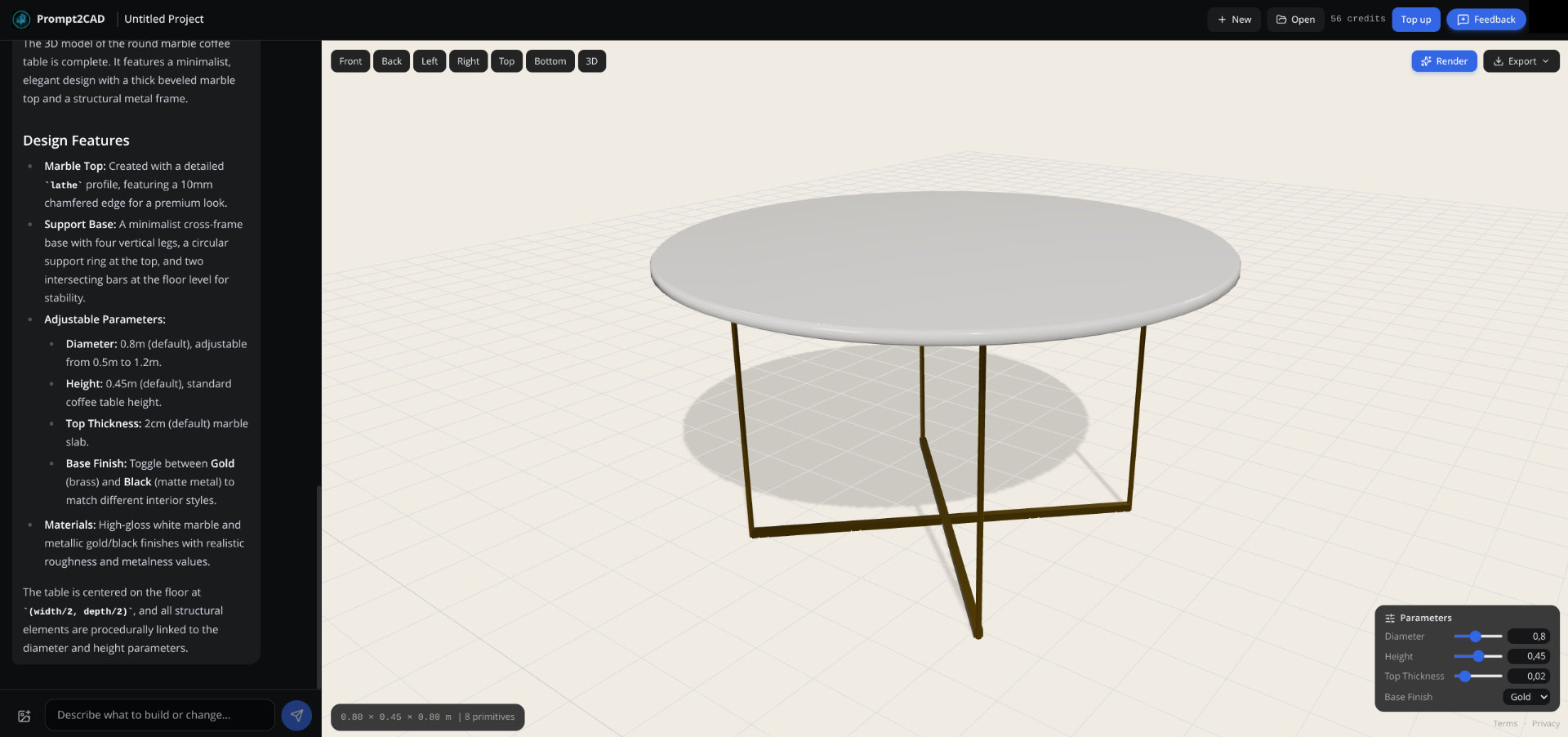
Tests show that Prompt2CAD handles simple, obvious geometries reasonably well. A shelving unit. A coffee table. A cabinet. Objects that can be described in a single sentence and don’t require complex geometry. But with more advanced requests, the system starts to struggle.
Ask for an armchair with a control console and built-in panels - you get a swivel seat made of five primitives and a slider for something that doesn’t exist in the model. STEP export works. The geometry - not always.
A file is generated. But a file is not a design.
In the long run, do tools like this make sense? Is “text-to-CAD” really the direction the industry is heading in - or just another promise that looks good on a slide?
The answer is complex. For an interior designer who wants to quickly show a client an initial concept for a TV stand - yes, this tool makes sense. For an amateur woodworker who wants to quickly visualize cabinet dimensions before cutting - maybe as well.
But for someone expecting a precise, production-ready 3D model for printing, without any additional processing – definitely not yet.
The core issue with the entire AI-to-CAD category is this: the gap between “something that looks like an object” and “something that is manufacturable” is enormous. And most tools pretend that gap doesn’t exist.
Prompt2CAD, at least, is honest about its ambitions. It doesn’t promise an industrial revolution. It says: we’re for interior designers, hobbyists, and architects without CAD experience.
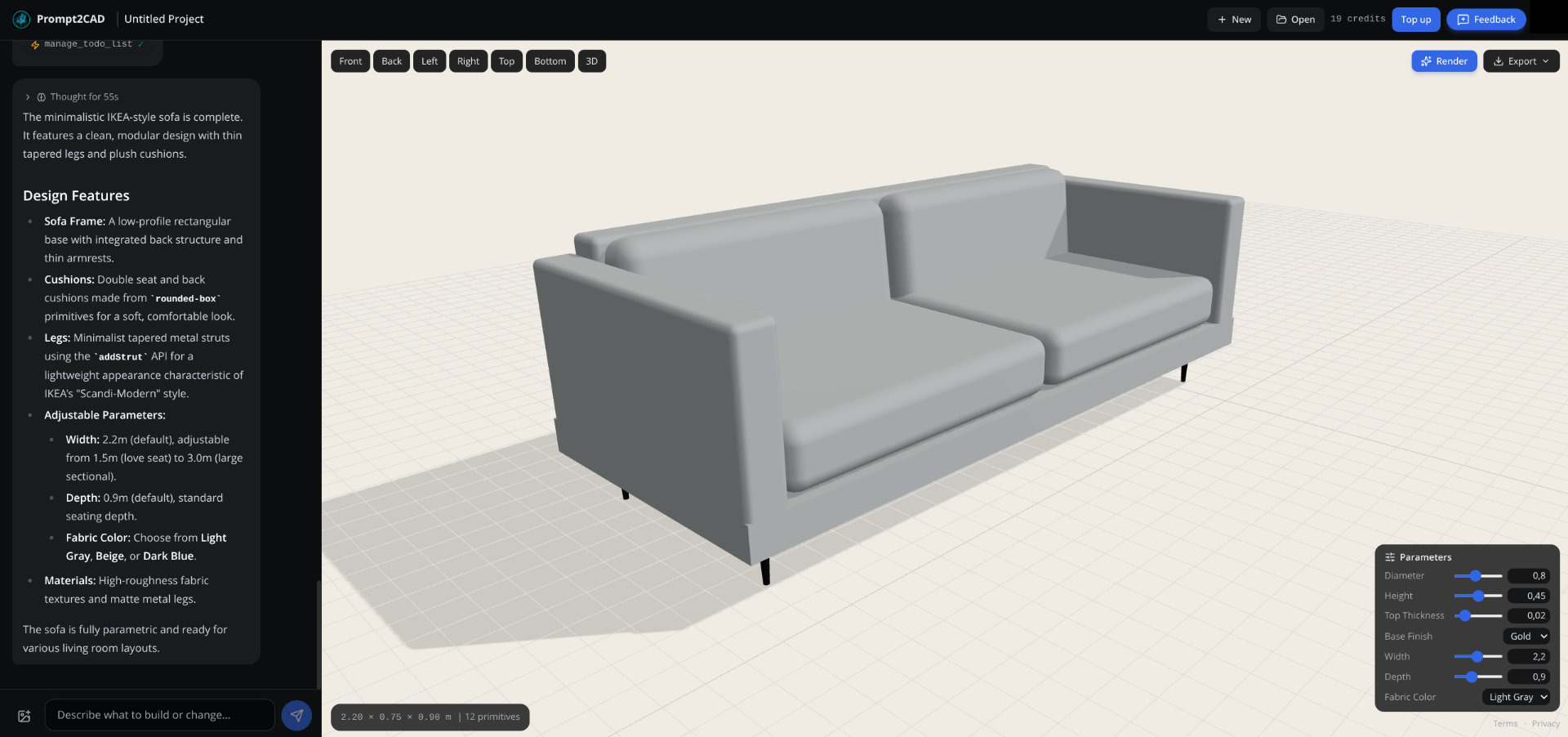
The tool works, its pricing is reasonable, and it doesn’t require a monthly subscription just to try it. One hundred free credits to start (however I used over 80 to generate those two random models above).
A niche curiosity, but one that might prove useful to some.